Reddit Comment Helper Extension
Reddit Comment Helper reads the whole thread, then writes a reply draft in your voice right inside Reddit’s reply box. It works on whichever account you comment from, including accounts you buy from REDAccs.
- Reads the post, the comment chain and the subreddit before it writes
- Drafts in your voice, inside Reddit’s own reply box
- Gives you 8 reply styles, and every word stays editable
- Posts nothing until you click Comment yourself
Works in Chrome, Edge, Brave, Arc, Vivaldi and other Chromium browsers. Free to install, and you only pay for the drafts you ask for.
What each Reply Draft is built from
Every time you ask for a draft, the extension sends three things together: the thread, the community it sits in, and your own settings. That’s why two drafts on two different threads never read the same.
From the thread
- Subreddit
- Post title
- Post text
- Media
- Comment chains
- Related comments
From you
- Practice Replies
- About Me
- Voice Source Account
- Writing Instructions
You get
A Reply Draft, ready to edit in Reddit’s reply box
Pick a style. Edit the draft. Click Comment.
The whole flow happens inside Reddit’s reply box, so you never leave the thread or copy text between tabs.
-
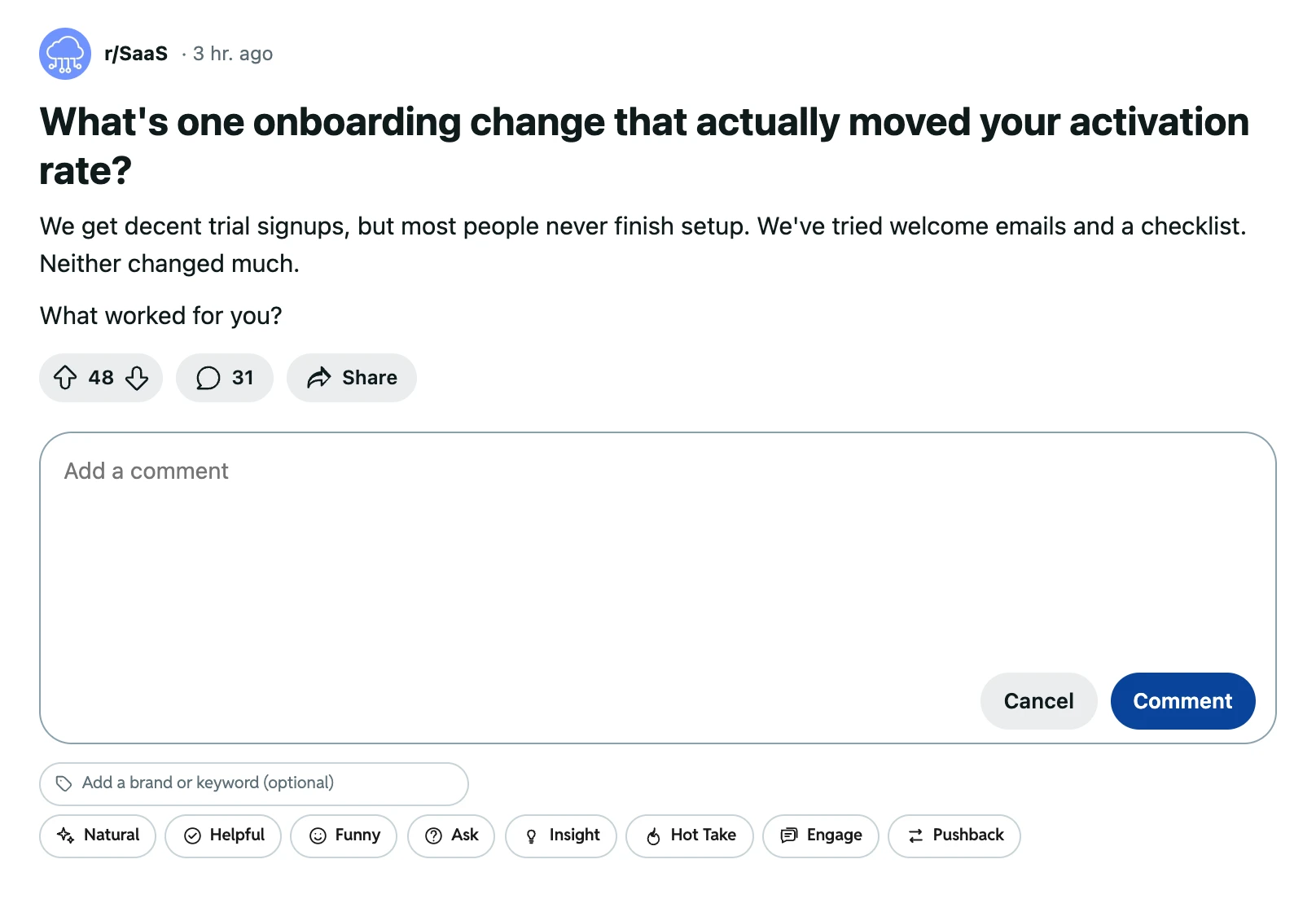
Start a reply
Open any Reddit post or comment and click Reply, the same way you always do.
-
Pick a style
Click one of the 8 style buttons under the reply box, such as Helpful or Ask.
Want a product or brand named in the reply? Type it into Add a brand or keyword before you pick a style. That’s your Comment Keyword, and it stays set until you clear it.
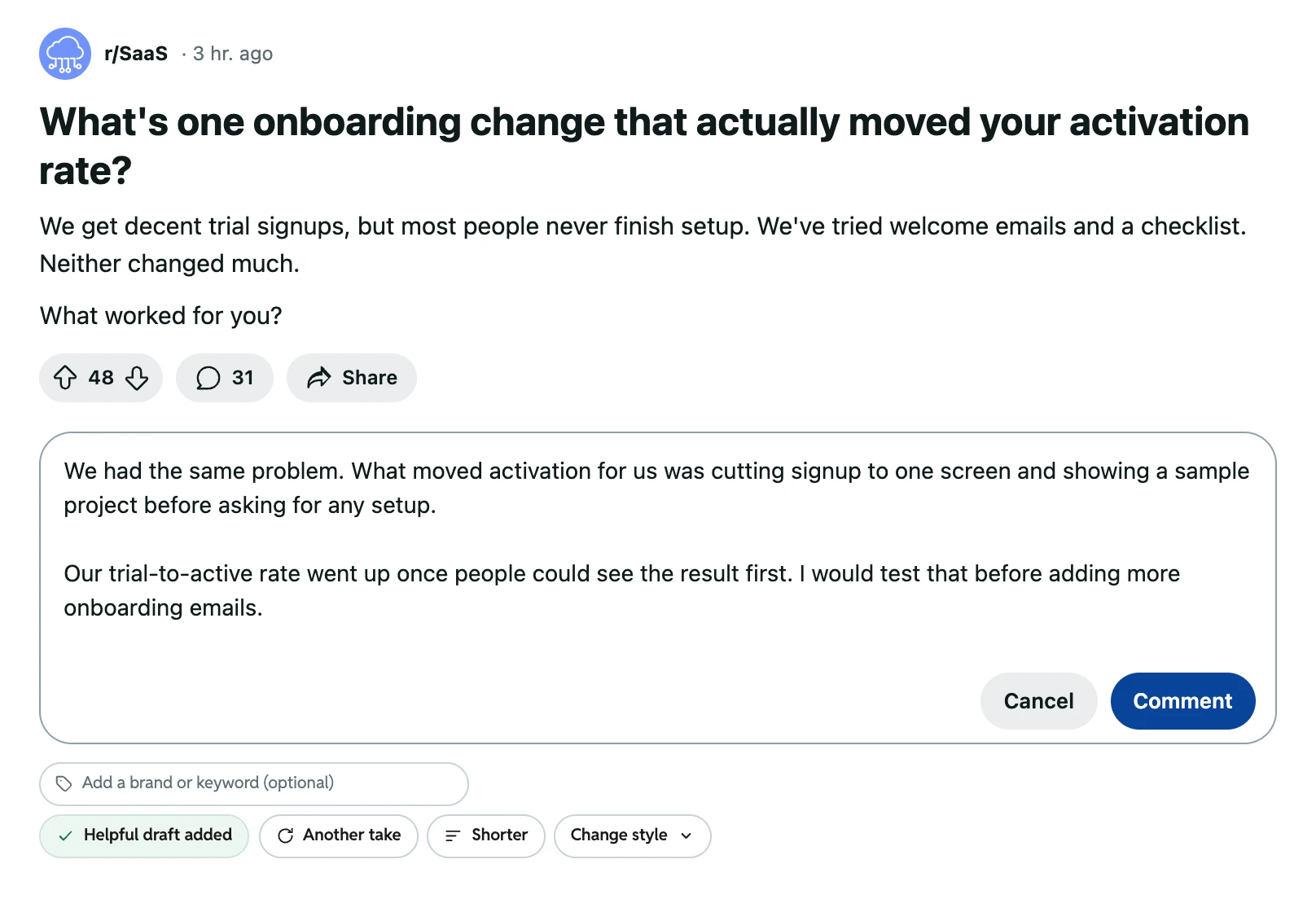
-
Get a Reply Draft
The draft lands in the reply box. If it misses, click Another take for a fresh version or Shorter to trim it down.
-
Post it yourself
Change anything you like, then click Reddit’s own Comment button. The extension never posts for you.
8 reply styles for different threads
A style changes the angle of the draft, never your voice. Pick one below to see how each might answer the same r/SaaS post.
 r/SaaS· 3 hr. ago
What’s one onboarding change that actually moved your activation rate?
Trial signups look fine, but most people never finish setup. We tried welcome emails and a setup checklist, and neither moved the number.
What worked for you?
Reply style
Sample Natural draft:
I’d call five people who stopped halfway and just ask what happened. You’ll learn more from that than from another email test.
Natural: your everyday voice with no extra angle. Good when the post asks for advice.
Sample Helpful draft:
Drop new users into a sample project with data already in it. They see the result before doing any setup, so finishing feels worth the effort.
Helpful: one practical suggestion or next step, plus why it works. Good when the post asks for advice.
Sample Insight draft:
Emails and checklists both remind people to finish. Neither one makes the setup itself shorter or easier.
Insight: one observation or short explanation that adds depth to the thread. Good when the post asks for advice.
Sample Ask draft:
Where do people drop off: before they connect their own data, or after?
Ask: one genuine follow-up question that moves the thread forward. Good for starting a back-and-forth.
Sample Engage draft:
Saving this thread. Everyone seems to try the checklist first, so I’m curious what people tried after that.
Engage: a conversational reply that invites others to join in. Good for starting a back-and-forth.
Sample Funny draft:
The welcome email: loved by marketers, opened by nobody. Try sending one only when someone actually gets stuck.
Funny: short humor that fits the thread and still helps. Skipped when the topic is sensitive. Good for starting a back-and-forth.
Sample Hot Take draft:
If setup needs a checklist, setup is too long. The checklist is the symptom.
Hot Take: one clear opinion up front, backed by reasons from the thread. Good when you have a strong view.
Sample Pushback draft:
I’d push back on the “trial signups look fine” part. If most people never finish setup, a lot of them might not be the right fit.
Pushback: respectful disagreement with one specific claim, plus the reason. Good when you have a strong view.
We wrote these sample replies for this page. Your real drafts follow the thread you open and the way you write. If one misses, click Change style and try another.
Drafts that sound like you
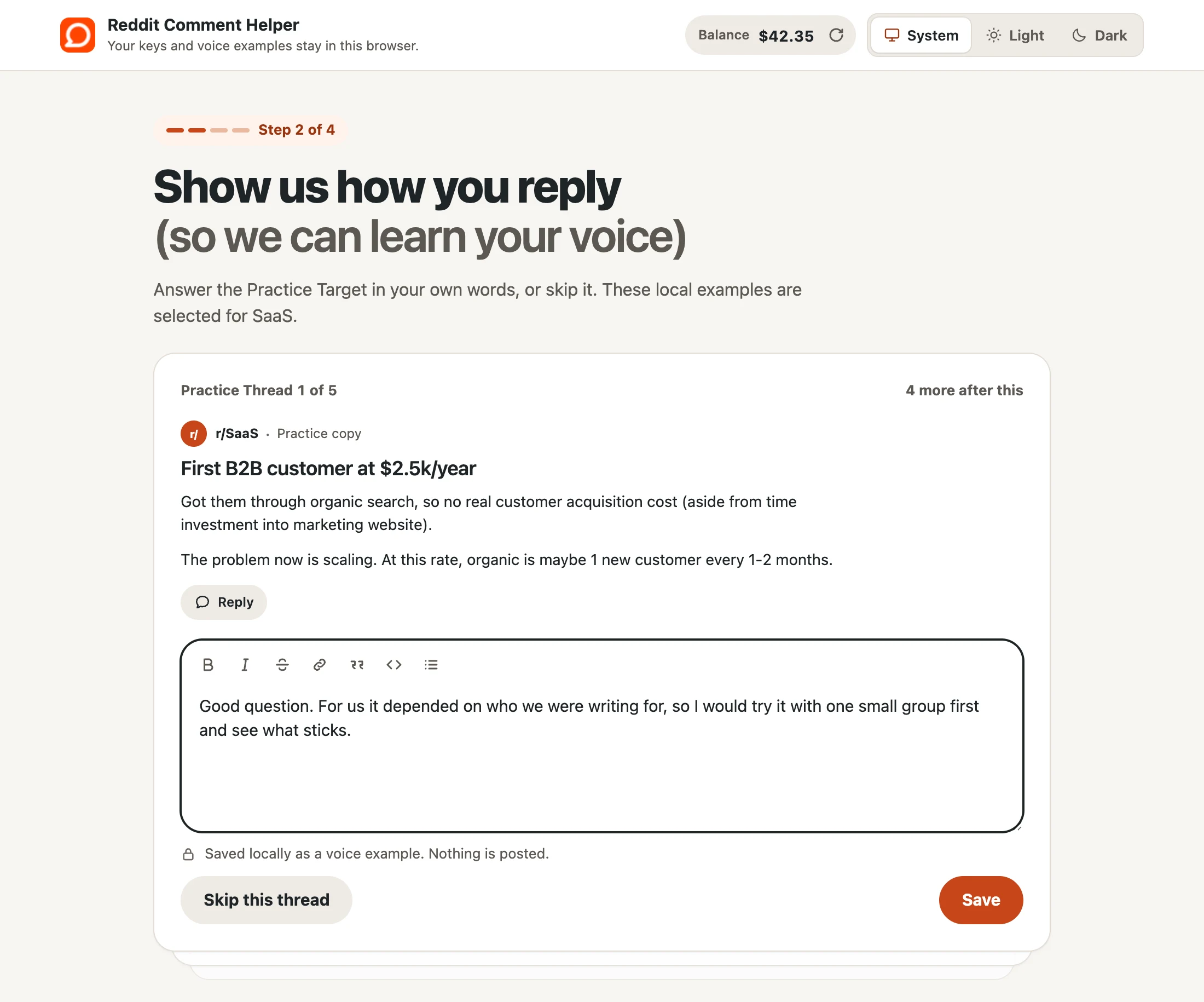
A short setup shows the extension how you write. You answer a few practice threads, and those answers shape every draft after that.
- Pick up to three Interests.
- Answer up to five practice threads on those topics. Nothing gets posted, and you can skip any thread.
- Your answers become Practice Replies, the main example of how you write.
- They’re saved in your browser and sent along with each draft request.
Interests to pick from
- Technology
- Cryptocurrency
- Fashion
- Gaming
- News
- Pets
- Finance
- SaaS
- Sports
- Meme
- Others
Running accounts you bought from REDAccs? Your profile is saved in your browser and stays there until you change it, reset it or remove the extension, so you only do the setup once.
One Reply Draft, taken apart
Each highlight shows which part of your setup shaped those words. Hover over or tap an input on the right to light up its part of the draft.
Same thing happened to us. We run a small invoicing app for freelancers, and once your product opened with a sample invoice already filled in, people finished setup just to see their own numbers. I’d test that before another email.
Kept short. No emojis.
-
How it sounds
Practice Replies
Your answers to the practice threads. They count the most.
Setup step 2
Voice Source Account
Up to 10 Reddit accounts that add extra style.
“Use this account content” on a Reddit profile
-
Facts about you
About Me
Facts a draft can use, like your job or your product.
Setup step 3, optional
-
The name it mentions
Comment Keyword
The name you want in the reply. It stays set until you clear it.
Under the style picker
-
The rules it follows
Writing Instructions
Rules for every draft, such as length or tone.
Setup step 4, optional
No Practice Replies or Voice Source Account yet? Drafts fall back to the General Voice, and the extension warns you they’ll read as very general. Reset Voice in Settings starts you over.
Free to install, paid per draft
Drafts come out of your account balance, so you only pay for the drafts you actually ask for.
Uses your balance
- Reply Draft
- Another take
- Shorter
Always free
- Installing the extension
- Setup and Practice Replies
- Editing and posting your reply
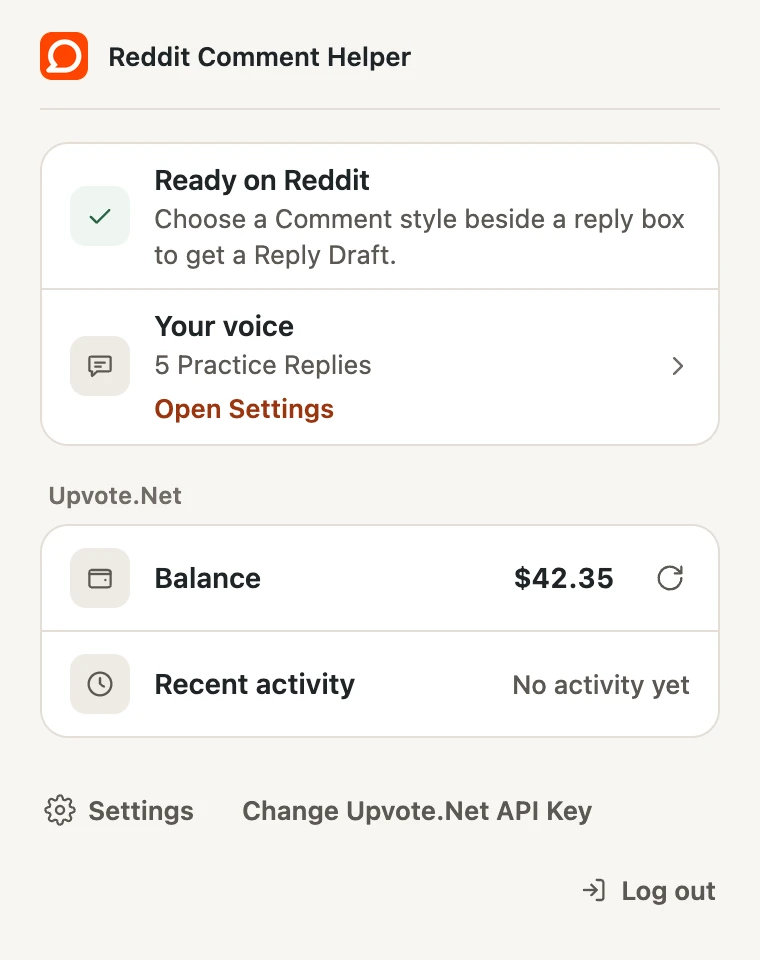
The popup shows your balance. When it runs low, the extension tells you and links you straight to the top-up page.
Who gets your data, and when
Your profile and settings are saved in your browser. The extension sends data only when you ask for a draft, sign in, open the popup to check your balance, or add or refresh a Voice Source Account.
Saved on your computer
- Your API key or login tokens
- Your profile: Interests, Practice Replies, About Me, Writing Instructions and Voice Source Accounts
- Your Comment Keyword and other settings
- Your recent draft charges, shown in the popup
Reddit pages can’t read this storage. It stays until you change it in Settings, log out, use Reset Voice or remove the extension.
What never happens
- Your data is never sold, rented or used for ads.
- The extension has no analytics or tracking, and it doesn’t read your browsing history.
- The draft service doesn’t store your drafts or the text you send.
- The extension never posts, votes or submits anything on Reddit.
Add Reddit Comment Helper to Chrome
It’s free to install. Drafts come out of your account balance, and nothing goes live until you click Comment.
From install to your first reply
-
Add it to Chrome
Pin it to your toolbar so the popup is always one click away.
-
Connect your account
Open the popup and sign in, or paste your API key.
-
Answer up to five practice threads
Your Practice Replies show the extension how you write. Skip any thread you’d rather not answer.
-
Reply on Reddit
Start a reply, pick a style and edit the Reply Draft. Then click Comment yourself.
Need an aged account to comment from? Browse REDAccs accounts